

Why use it
Ask like a buyer
Track the real questions your customers ask AI before they buy.
Choose your assistants
Decide which AI assistants Spyro checks for each question.
See who you're up against
Each prompt shows the competitor sites the assistants mention.
Follow the trend
Watch how often you’re mentioned for each question over time.
You start with suggestions
You don’t begin with a blank page. When you first set up Spyro during onboarding, it suggests a starter set of buyer questions based on your website and competitors. They cover a natural mix - recommendations, comparisons, and how-to questions - and you can review or edit them before they go live.How to add and manage prompts
1
Open Tracking prompts
In the sidebar, open Tracking prompts (part of AI visibility).
2
Write a buyer question
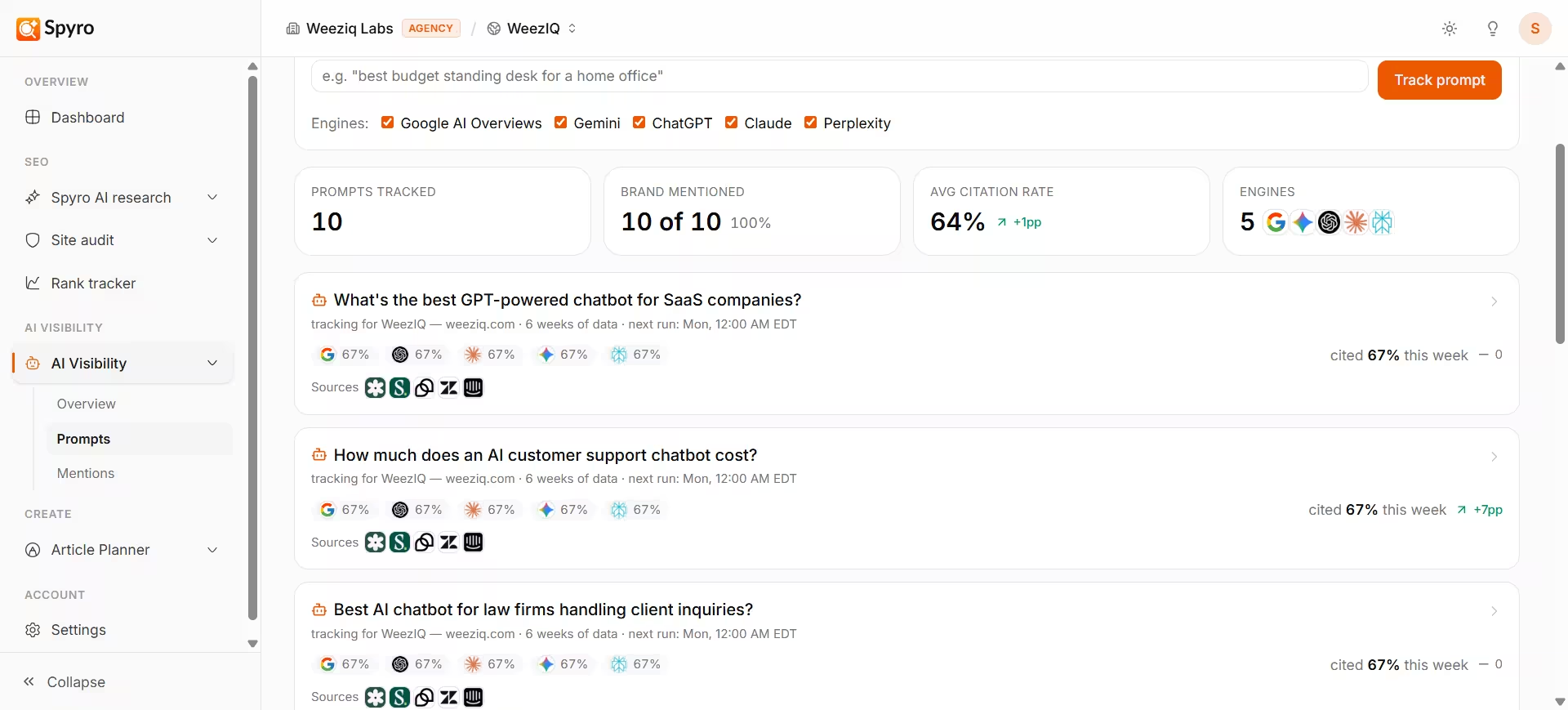
Use the Add prompt box and phrase it the way a real customer would - for example,
best budget standing desk for a home office. Don’t include your own brand name.3
Choose the AI assistants
Tick which assistants should answer this question - ChatGPT, Gemini, Claude, Perplexity, and Google AI Overviews. They’re all selected by default.
4
Track it
Click Track prompt. It runs once right away so you get a first result, then re-checks automatically every week.
Reading your results
Each prompt appears as a card showing how it’s doing this week:- How often you’re mentioned - your mention rate for that question this week.
- The trend - whether you’re up or down compared with last week.
- Per-assistant results - how you did on each AI assistant you picked.
- Competitor sites - the rival domains the assistants mentioned for this question. This is a quick way to see who you’re competing against.
What to expect
- Results are shown as a frequency, like “mentioned in 3 of 5 checks,” because AI answers vary each time.
- Your first result appears the moment you add a prompt; after that, Spyro re-checks every week automatically.
- The trend needs a couple of weeks of data before it means much.
Tips
- Keep prompts in your customer’s words. If it sounds like an SEO keyword, rewrite it as a natural question.
- Use the competitor sites on each card to spot rivals worth studying over on AI visibility.
- To read the exact wording of an answer, jump to AI mentions.