

Why use it
Know your rivals
See who really competes with you for searches and AI recommendations.
Find keyword ideas
Discover the keywords competitors target so you can target them too.
Spot content gaps
Find topics your competitors cover that you’re missing.
Win inside AI
See which rivals AI assistants recommend, and close the gap.
Where to find competitor information
Competitor data shows up in a few places, depending on what you want to know.Competitor Research dashboard
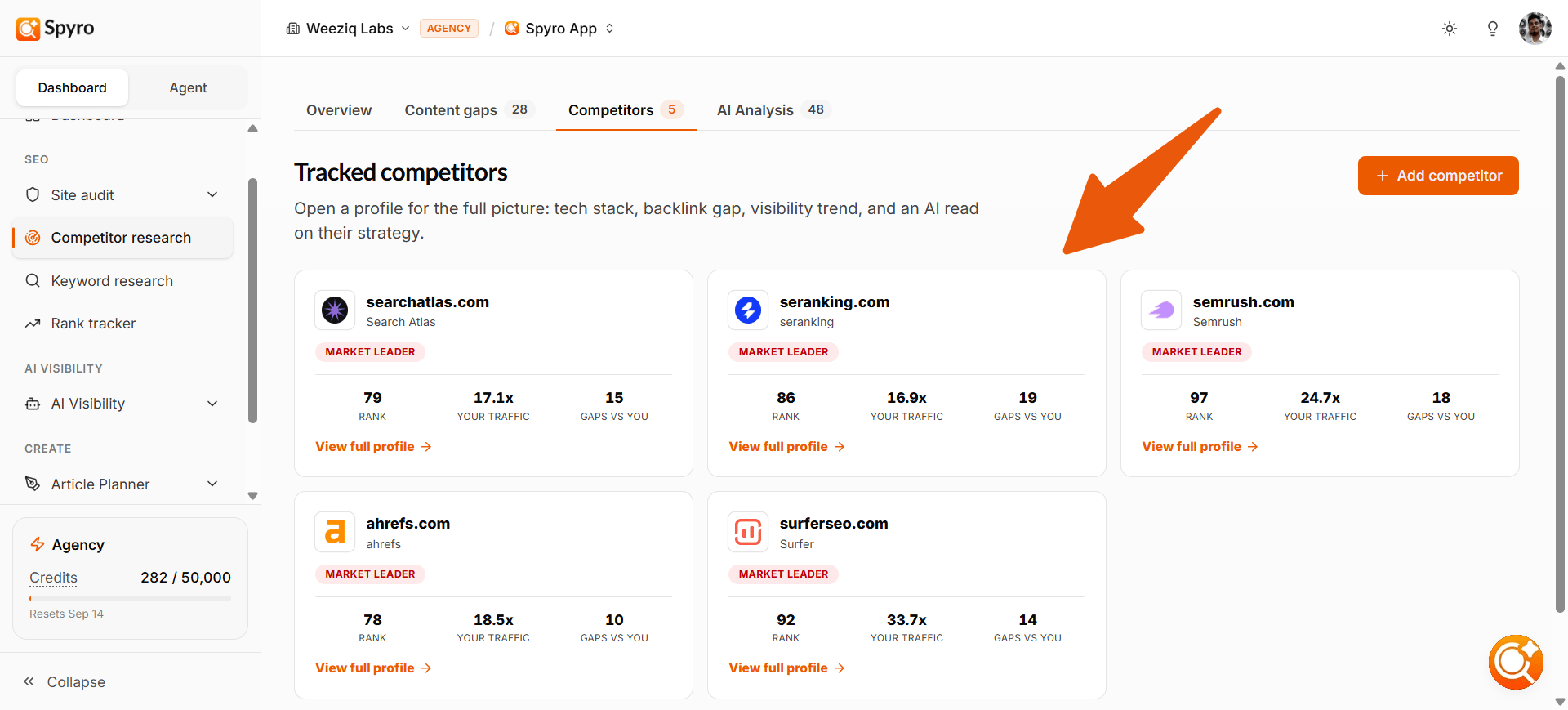
The main place to run a structured keyword gap analysis is the Competitor research dashboard inside your workspace. Open it from the sidebar, start a scan with up to 5 competitor domains per scan, and Spyro compares your keyword rankings against theirs. The scan produces an overview of how you stack up and a detailed Content gaps view that splits keywords into gaps, shared terms, and quick wins. You can run additional scans later with another set of up to 5 competitor domains.Your competitor list
Open Settings and go to Competitors. Here you’ll see the competitors Spyro has found for you - it discovers them automatically as it runs keyword and search analysis - plus any you add yourself. Next to each one, you’ll see how many keywords you share, which is a quick sign of how directly you compete. You can add or remove competitors at any time.The list shows a shared-keyword count (for example, “12 shared keywords”). To see the actual keywords and a deeper breakdown, ask the AI agent (below).
Competitor keywords - ask the AI agent
For a closer look, just ask the AI agent in plain English:- “Who are my competitors for [topic]?” - Spyro runs a live Google search and lists the top sites ranking for that topic, with an estimate of how strong each one is.
- “What keywords does [a competitor’s website] target?” - Spyro looks at that competitor’s pages and pulls out the keywords they appear to be going after.
Content gaps become article ideas
When Spyro plans your content in the content calendar, it looks at what your competitors cover that you don’t and turns those gaps into blog topic suggestions. The structured Content gaps tab inside Competitor Research gives you the full keyword-level view of these gaps; the calendar integration is a downstream effect of the same data.How often AI recommends them
On the AI visibility page, the Competitors ranking shows which rival brands AI assistants mention for your buyer questions, how your share of voice compares, and whether you’re gaining or losing ground. The tracking prompts view even shows which competitor websites get cited for each question.Running a Keyword Gap Analysis scan
Starting a scan
Open Competitor research from the sidebar and start a new scan. Enter 1 to 5 competitor domains — your own domain is excluded automatically. Then set your market:- Location and language — where and in what language to look for rankings.
- Competitor ranking position — how deep into search results to look (top 10, 20, 50, or 100 positions).
- Minimum search volume — optionally ignore very low-volume keywords.
- Maximum keyword difficulty — optionally cap results by difficulty score.
- Include subdomains — whether to include subdomains in competitor analysis.
Credit cost
Each competitor domain costs 150 credits. For example, scanning 3 competitors uses 450 credits. Spyro checks that you have enough credits before the scan starts. If you don’t have enough, the scan is blocked with a message showing how many credits you need and how many you have left. Credits are charged after a successful scan completes. If a scan fails, you are not charged.What happens while the scan runs
The scan runs in the background. When it finishes, the Overview tab loads automatically.Overview results
The overview shows your domain compared to each competitor, with key metrics like organic keywords, top-10 keywords, and estimated traffic per month. It also includes an AI-generated verdict on the competitive landscape and topic-gap cluster cards that highlight areas where competitors outrank you.Content Gaps
Click the Content gaps tab to see the full keyword table. Results are split into three bucket tabs:- Gaps — keywords competitors rank for that you don’t.
- Shared — keywords both you and your competitors rank for.
- Quick wins — gap keywords where at least one competitor ranks in the top 10 and you rank lower or not at all.
Topic clusters
Spyro groups gap keywords into AI-generated topic clusters to help you plan content. Clusters only form when there are at least 8 gap keywords, and up to 6 clusters are shown. You can filter the keyword table by clicking a cluster chip.Actions
From the keyword table you can:- Write article — jump straight to the AI writer with that keyword.
- Track keyword — add the keyword to your rank tracker.
- Export to CSV — download the full keyword table for offline analysis.
Limits
- Maximum 5 competitors per scan.
- Maximum 2,000 keyword rows stored per scan.
How to use it
1
Build your competitor list
Open Settings → Competitors. Add the rivals you care about, or let Spyro keep finding them for you.
2
Research their keywords
Run a scan in Competitor research to see a full keyword gap analysis, or ask the AI agent who ranks for a specific topic.
3
Check who AI recommends
Open AI visibility to see the competitor ranking and your share of voice.
4
Turn gaps into content
Let the content calendar suggest topics from competitor gaps, then write and publish them with the AI writer.
What to expect
- The competitor list shows a shared-keyword count, not the full list - ask the agent when you want the details.
- Keyword research runs on demand, so you always get fresh results.
- Competitor AI citations need tracking prompts first; they fill in after the next check (Spyro checks every week).
- Your competitor list grows over time as Spyro learns your market.
Tips
- Start with 3-5 close competitors so the comparisons stay meaningful.
- When a rival outranks you inside AI, open AI visibility and study the questions they win.
- Treat competitor content gaps as your next article ideas.
Related
Plans & billing
Credit costs and how credits work.