

Why it matters
You can’t improve what you can’t see. An audit turns your whole site into a simple to-do list: a clear health score, the problems that are dragging it down, and step-by-step fixes for each one. Run one now to get your baseline, then run it again later to watch your score climb.How to run an audit
1
Open the Audit page
Go to Site audit in the left sidebar. If you’ve never run one for this site, you’ll see a Run audit button.
2
Start the check
Click Run audit. Spyro looks over your whole site - the button shows Crawling… and the page updates itself every few seconds. You don’t need to reload or wait around.
3
Read your report
When it’s done, your scores and full report appear, along with a downloadable PDF. Run it again any time to refresh your scores and see what changed.
What you’ll see
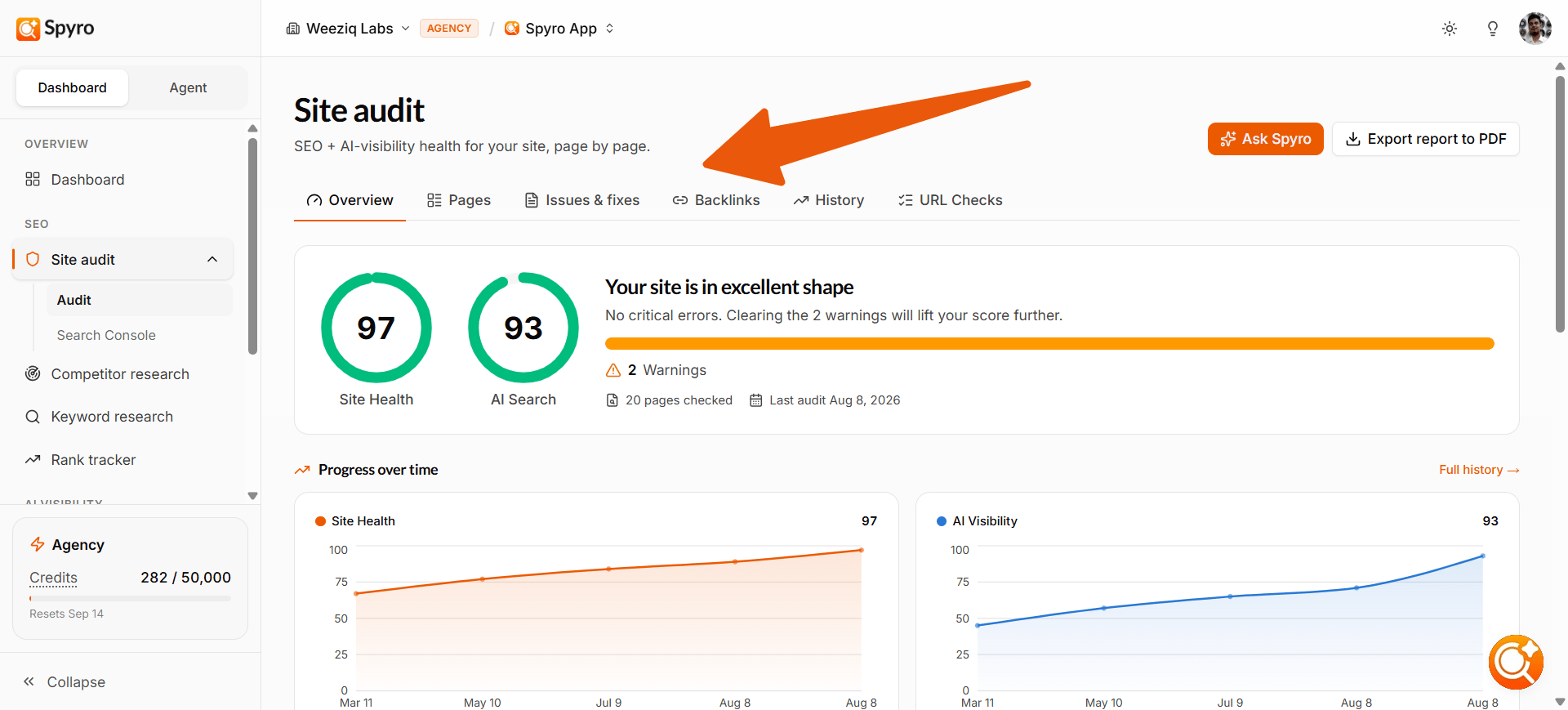
At the top of the report, you always get a quick summary: two big score rings - Site Health (your SEO score) and AI Search Health (your AI-readiness score), each out of 100 - plus counts of Errors, Warnings, and Notices found across your site. Below the summary, you can switch between a few views:Pages
Every page Spyro checked, weakest first, with each page’s scores and a health badge. Click any page to see its full detail.
Full report
Every issue found, grouped by how serious it is, with a short how to fix note for each one.
History
Your scores over time, what changed since your last check, and an estimate of how high your score could go once you fix things.
URL checks
Check a single page on demand - handy for spot-checking one URL after you’ve made edits.
Per-page detail
Click any page to open its own report. You’ll see that page’s scores, the issues found on it, an AI readiness view, and a history of how it’s changed. Each issue comes with plain-language advice on how to fix it. To learn how to read your scores, issues, fixes, and the PDF in depth, see Understand your reports.Re-check and the “Ask” helper
When you’ve made a change, you don’t have to wait. Open the page and click Re-check after fixes - Spyro re-checks just that page and shows you a before-and-after so you can confirm the fix worked. Not sure where to start? Click Ask Spyro to chat with a helper that knows your audit. Ask things like “Why is my AI score low?” or “What should I fix first?” and it answers using your own results. You can ask about your whole site or about one page.Tips
- Run your first audit right after setup to get your starting scores.
- Fix the Errors first - they have the biggest impact - then work through Warnings and Notices.
- Re-run the audit after a round of fixes to watch your score improve.
- Check the History view to see your progress over time.