

Why use it
Rankings change all the time, and it’s easy to miss it when a key page drops. The rank tracker keeps your important keywords in one place, flags the biggest movers, and shows your progress as a simple chart - so you can see what’s working and react quickly when something slides.How to use it
1
Open the Rank tracker
Go to Rank tracker in the left sidebar.
2
Add a keyword
Type a keyword into the Track keyword box and submit. Spyro checks it right away, so the position appears within seconds.
3
Watch it over time
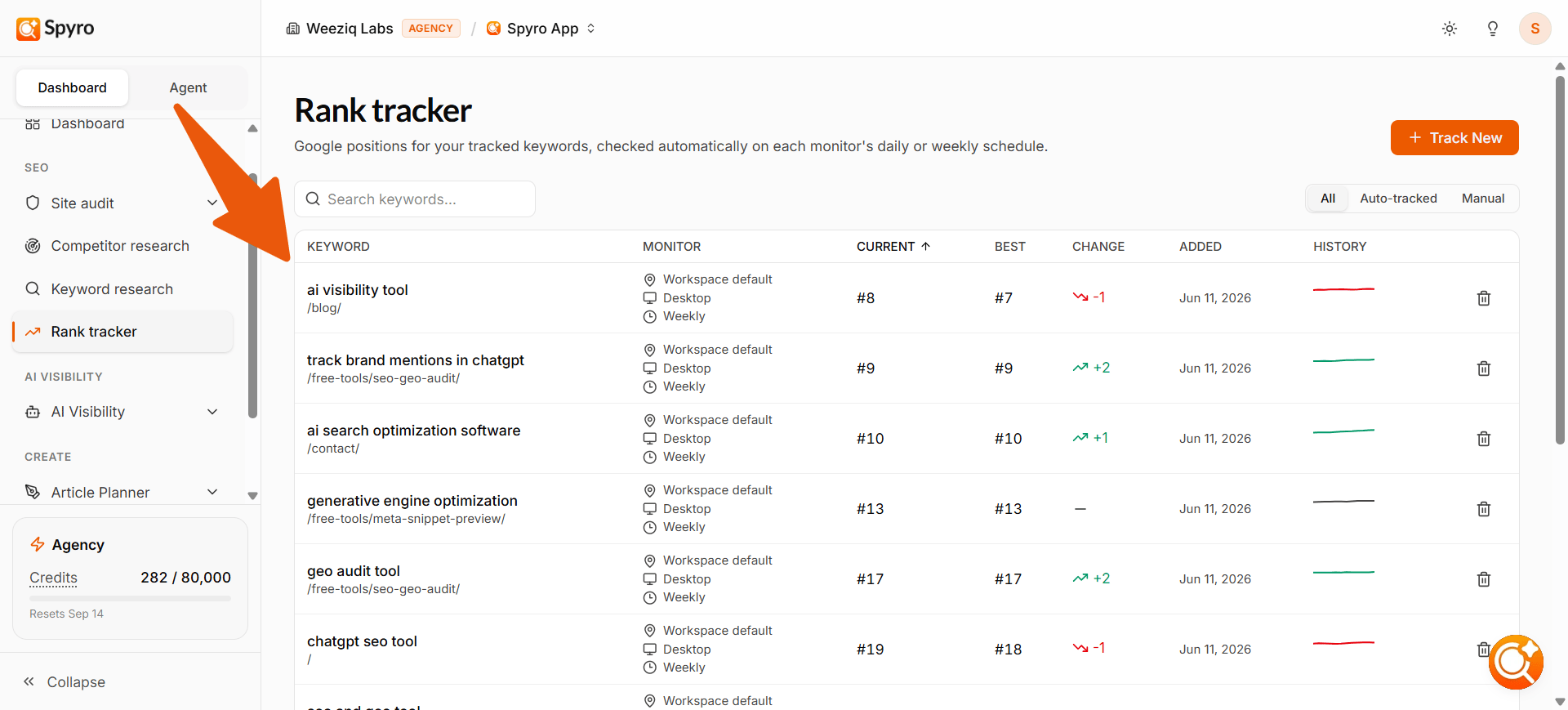
Each keyword becomes a row showing its current position, its best-ever position, and how it has moved - with a mini chart of its recent history.
What the table shows
Each keyword you track gets its own row, with:- The keyword and the page that’s ranking for it
- Current position - where you sit in Google right now (or “not in top 100”)
- Best - the best position you’ve ever reached
- Change - which way it moved since the last check (green up, red down)
- History - a small chart of recent checks, so you can spot trends at a glance
How often positions are checked
- New keywords are checked right away. As soon as you add one, Spyro checks its position so you don’t have to wait.
- Existing keywords are re-checked on your chosen schedule. By default, Spyro updates all your tracked keywords weekly. You can also choose daily checks when adding a keyword for faster updates. The next update time is shown on the page.
Automatic keyword tracking
Here’s the part you don’t have to lift a finger for. Every time you publish an article, Spyro automatically starts tracking the best keyword for it - and it’s smart about which one to pick. Instead of just grabbing the obvious keyword, Spyro chooses the one that article is most likely to actually rank for, based on how competitive the keyword is and how strong your site is:- On a strong, established site, it usually tracks the article’s main keyword
- you can realistically rank for it.
- On a newer site, it tracks an easier, more specific keyword first. As your site grows stronger, the bigger keyword becomes worth tracking later.
Good to know
- You can track up to 500 keywords per website - both the ones you add and the ones Spyro adds automatically.
- Deleting a keyword frees a slot right away, so prune ones you no longer need to make room for new ones.
- If you’re at the limit, Spyro lets you know when you try to add another, and it quietly skips auto-tracking until you free up space.